Holiday phishing scams spike 100 percent this week: how to protect yourself while deal hunting
Advertisements
Phishing attacks targeting holiday shoppers surge by 100 percent during peak deal-hunting weeks. Learn to spot fake emails, verify retailers, and protect your financial information while claiming holiday discounts safely.
The week approaching the holiday shopping peak is prime season for cybercriminals. How phishing scams spike 100 percent this week: protect yourself while deal hunting becomes urgent as millions log online searching for the best deals. Scammers exploit this surge by flooding inboxes with fake retailer emails, counterfeit shopping sites, and urgent payment requests designed to steal credit card numbers, passwords, and personal data. Understanding these threats and recognizing attack patterns can mean the difference between claiming genuine bargains and becoming a fraud victim.
Why phishing attacks spike dramatically during holiday deal seasons
The holiday shopping period triggers a predictable surge in phishing attempts. Cybersecurity reports consistently document a 100 percent increase in phishing emails during peak shopping weeks compared to average months. This timing is no coincidence. Scammers know consumer attention is divided between work, family commitments, and deal-hunting urgency. That mental overload makes people less likely to scrutinize sender addresses, verify website authenticity, or pause before clicking suspicious links.
Holiday retailers, shipping companies, and payment platforms receive millions of legitimate transactions weekly. Fraudsters exploit this volume by mimicking these brands. A fake email appearing to come from a major retailer or shipping provider blends into the dozens of legitimate messages consumers expect to receive. The psychological element is critical: fear of missing out on limited-time deals and time pressure from countdown promotions create emotional decision-making that bypasses normal security instincts.
Key factors driving the surge
- Consumer spending reaches annual peaks, with billions in transactions creating more targets for theft
- Email inboxes are flooded with legitimate promotional messages, making fake emails easier to hide
- Shoppers click faster and verify less carefully due to time pressure and deal scarcity messaging
- Mobile shopping increases, where smaller screens make it harder to spot suspicious URLs and sender details
Understanding these patterns helps explain why this specific week is so dangerous and why skepticism becomes your strongest defense.
Common phishing tactics scammers deploy against holiday shoppers
Phishing attacks during holiday shopping follow predictable playbooks designed to exploit urgency and trust. Scammers use sophisticated spoofing techniques to make fraudulent emails appear to come from brands you recognize. They craft messages that mimic the visual layout, logo placement, and tone of legitimate retailers, shipping companies, and payment processors.
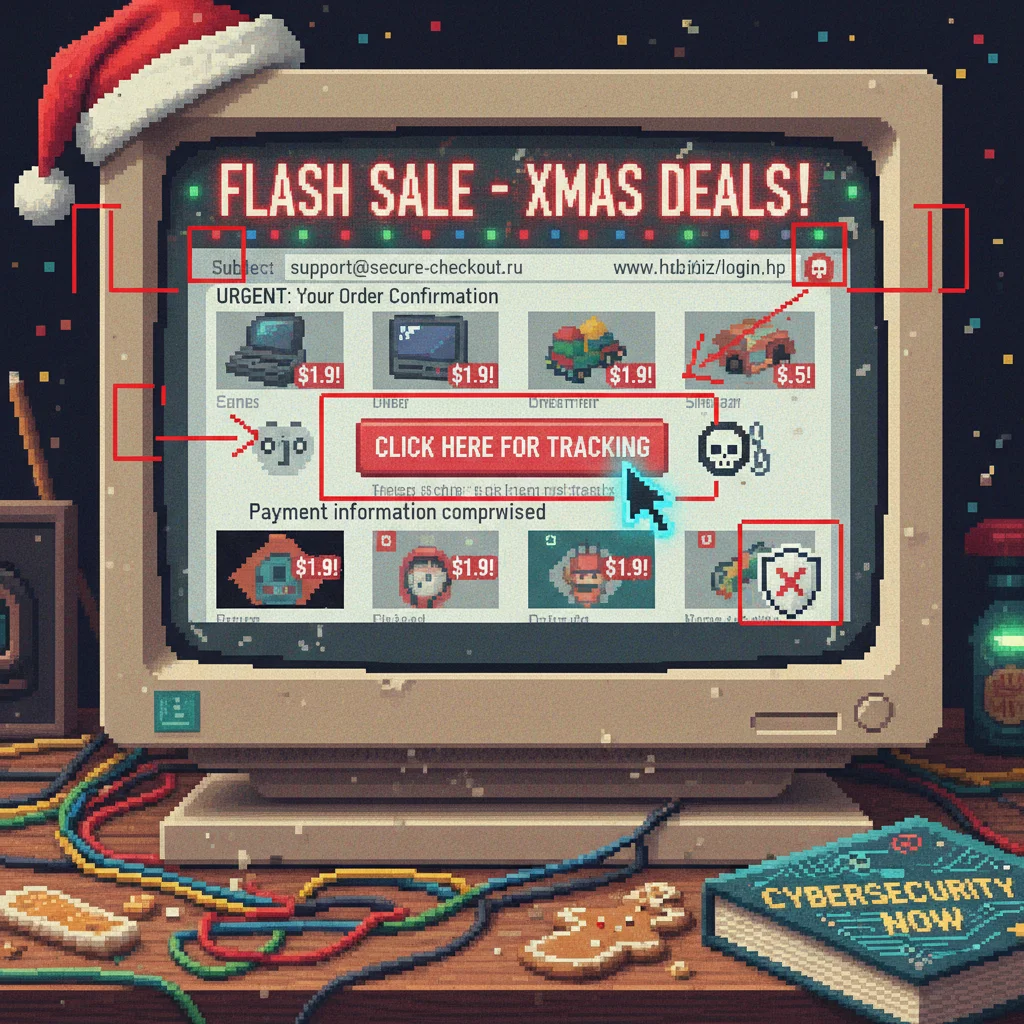
One prevalent tactic is the fake order confirmation or delivery notification. Scammers send emails claiming your package requires action: a payment update, signature authorization, or address verification. The email includes a button linking to a fake website that looks nearly identical to the real retailer’s login page. When you enter your credentials to check your order, the scammers capture your username, password, and session details. Some even ask for additional information like your Social Security number or credit card data under the guise of “updating payment methods.”
Specific phishing tactics targeting holiday shoppers
- “Your account has been locked” messages requiring immediate password reset through malicious links
- Fake coupon or rebate claim forms requesting credit card information and personal identification
- Urgent delivery alerts with tracking links that deploy malware or keylogging software when clicked
- Prize notifications or surprise gift alerts from retailers you never purchased from, built on the false hope of free merchandise
Each tactic preys on a specific emotional response: fear of missing out, urgency to avoid losing an order, or excitement over unexpected rewards. The sophistication of these attacks has increased significantly, with scammers using AI to generate realistic images and even deepfake technology in some cases.
Red flags that signal a phishing email or suspicious message
Despite their sophistication, phishing emails consistently reveal tells that separate them from legitimate communications. Learning to spot these warning signs takes practice but becomes second nature with awareness. The first line of defense is careful inspection before clicking anything or providing information.
Examine the sender’s email address carefully. Legitimate retailers use company domain names. A retailer’s official email comes from something like “[email protected],” not “[email protected]” or “secure-verify.net.” Scammers often use slight variations that look similar at first glance but use different domain endings. Hover over the sender name to reveal the actual email address before trusting the message.
Major red flags in phishing emails
- Requests for passwords, credit card numbers, or Social Security numbers via email (legitimate companies never request sensitive data this way)
- Generic greetings like “Dear Customer” instead of your actual name, indicating mass targeting
- Obvious spelling errors, grammatical mistakes, or awkward phrasing that professional companies wouldn’t allow
- Urgent language creating pressure: “Act now,” “Limited time,” “Your account will be closed,” or “Confirm immediately”
- Suspicious links where the URL shown doesn’t match the actual destination (revealed by hovering without clicking)
- Requests to download attachments, especially .exe, .zip, or unexpected file types that might contain malware
- Unusual formatting, poor image quality, or misaligned branding elements that don’t match the company’s professional standards
Trust your instincts. If an email feels off or creates anxiety designed to push quick action, pause before engaging. Legitimate companies build trust through clear communication, not through pressure tactics.
Protecting your personal and financial information while deal hunting
Active defense measures dramatically reduce your phishing risk. The most effective protection combines skepticism, technical safeguards, and deliberate verification habits before any transaction. These practices create friction that discourages casual clicking while maintaining your ability to shop safely and enjoy legitimate deals.
Start by verifying website authenticity before entering any information. When you click a link in an email or search result, check the URL carefully. It should begin with “https://” (the ‘s’ indicates encryption), and the domain name should match the company name. If you’re unsure, navigate to the website independently by typing the address into your browser rather than clicking email links. This simple habit eliminates the risk of landing on spoofed sites.
Essential protection strategies
- Use strong, unique passwords for each online retailer and financial account; never reuse passwords across multiple sites
- Enable two-factor authentication (2FA) on all financial accounts, requiring a second verification step beyond passwords
- Monitor credit card statements daily during shopping season, reporting suspicious charges immediately to your bank
- Use credit cards rather than debit cards for online shopping, as credit card fraud protection is typically stronger
- Keep your computer and phone updated with the latest security patches and antivirus software
- Use a password manager to store complex passwords securely, reducing the temptation to simplify or reuse them
Consider using virtual credit card numbers offered by many banks and credit card companies. These generate temporary account numbers for specific transactions, adding a layer of protection. If the virtual number is compromised, it’s useless for future purchases or unauthorized charges.
What to do if you’ve been targeted or suspect a phishing attempt
If you suspect you’ve received a phishing email, your response matters. Reporting the attempt helps companies warn other customers and helps authorities track fraud trends. At the same time, secure any potentially compromised accounts before damage occurs.
First, do not click any links or download attachments in the suspicious email. Report the email to the legitimate company being impersonated. Most retailers have a fraud or phishing reporting email address on their website, often in the footer or under “Contact Us.” You can also report phishing attempts to the FBI’s Internet Crime Complaint Center or the Federal Trade Commission. These reports aggregate data that helps law enforcement identify fraud rings and major campaigns.
Immediate actions if you suspect you’ve been compromised
- Change passwords for affected accounts immediately, starting with banking and email accounts
- Contact your credit card company or bank if you provided financial information, placing a fraud alert on your account
- Place a credit freeze with the major credit bureaus (Equifax, Experian, TransUnion) to prevent fraudulent account openings
- Run a full antivirus scan on your device to detect any malware downloaded through email attachments
- Monitor your credit report for suspicious activity and set up fraud monitoring services through your bank
If you provided your Social Security number or detailed identity information, consider filing a report with the Federal Trade Commission at identitytheft.gov. This creates an official record and may provide compensation or assistance if identity theft occurs. Acting quickly reduces the window during which fraudsters can use stolen information.
Tools and security resources for safe holiday shopping
Multiple tools exist to strengthen your defense against phishing without requiring advanced technical knowledge. These resources range from browser extensions that warn about suspicious sites to security software that scans emails before they reach your inbox. Many are free or low-cost, making them accessible to all shoppers.
Browser extensions like Google Safe Browsing, Norton Safe Web, or Kaspersky Security provide real-time warnings when you navigate to known phishing or malware sites. Your email provider may also offer built-in phishing detection. Gmail and Outlook flag suspicious emails and prevent them from reaching your main inbox. Banking apps from reputable institutions include fraud detection alerts that notify you of unusual activity in real time.
Recommended security tools and services
- Password managers (Bitwarden, 1Password, LastPass) store complex unique passwords securely and autofill forms safely
- VPN services encrypt your internet connection when using public Wi-Fi, protecting shopping data from network snooping
- Antivirus software (Windows Defender, Norton, McAfee) scans downloads and system files for malicious code
- Identity theft protection services (Experian, LifeLock, IDShield) monitor credit reports and alert you to suspicious activity
Many financial institutions and employers offer free or discounted access to identity theft protection and credit monitoring. Check with your bank or insurance provider before purchasing these services independently. Combining these tools creates layered defense that catches threats at multiple points.
Staying vigilant beyond this week and into the future
While phishing attacks peak during specific shopping seasons, they remain a year-round threat. Scammers adapt their tactics, targeting tax season, back-to-school shopping, and other high-transaction periods. The habits you develop this week should become permanent practices that protect you regardless of the season.
Awareness is the most valuable asset. Understanding how scammers think and operate builds intuition that catches suspicious communications quickly. Phishing prevention isn’t about rigid rules but about asking critical questions before trusting any email, link, or website. Legitimate companies never create urgency around sharing sensitive information, always provide verifiable contact information, and maintain professional communication standards.
Set reminders to monitor your financial accounts weekly rather than waiting for monthly statements. This habit catches fraud quickly, during a window when your bank can reverse unauthorized charges. Update your passwords quarterly, especially for financial accounts. Keep devices updated with security patches the moment they’re available. These practices compound over time, making fraud exponentially harder while costing you minimal effort.
| Phishing Risk Factor | Holiday Shopping Risk Level and Prevention Strategy |
|---|---|
| Email spoofing attacks | Risk increases 100% during peak shopping. Verify sender addresses carefully and never click email links; navigate to websites independently using your browser. |
| Fake checkout pages | Scammers create mirror sites capturing payment data. Check URLs for “https://” and exact company domain names before entering credit card information. |
| Malware through attachments | Phishing emails often contain infected files. Never download attachments from unexpected senders; use antivirus software to scan all downloads. |
| Credential theft | Fraudsters capture passwords through fake login forms. Use unique, complex passwords per account and enable two-factor authentication on all financial platforms. |
Frequently asked questions about holiday phishing scams prevention
Legitimate banks never request passwords or sensitive information via email. Check the sender’s actual email address (hover to reveal it), verify using your bank’s phone number or website, and never click links in financial emails. Instead, log into your account directly through your bank’s official website or app.
Clicking a link doesn’t automatically compromise your security. If you didn’t enter personal information, you’re likely safe. If you did enter credentials or payment data, change your passwords immediately, contact your bank, and enable fraud monitoring. Run antivirus software to check for malware downloads.
Legitimate coupons are usually safe, but verify the sender’s email address and never enter payment information within coupon emails. Navigate to the retailer’s website independently to apply coupons. If an offer seems too good to be true or creates urgent pressure, it’s likely phishing designed to steal your data.
Be cautious with unsolicited attachments. Most retailers send receipts in email text or as links to view online. If an attachment seems unusual or wasn’t expected, don’t open it. Scan it with antivirus software first or contact the retailer’s support line to verify legitimacy before opening.
Both devices face similar phishing risks. Phones may be harder to inspect for suspicious links and sender details due to smaller screens. Security practices remain the same: verify websites, enable two-factor authentication, use strong passwords, and avoid public Wi-Fi for sensitive transactions. Official retail apps are generally safer than mobile web browsers.
The bottom line
Holiday shopping’s urgency and volume create the perfect environment for phishing attacks to flourish. The 100 percent surge in scams this week reflects criminals capitalizing on consumer attention overload and time pressure. Your defense combines skepticism, verification habits, and technical safeguards. Inspect sender addresses, verify websites independently, use strong passwords with two-factor authentication, and monitor accounts daily. These practices cost minimal time but dramatically reduce fraud risk. The deals you find online are only worth claiming if your personal information and financial security remain intact.
